AudioPressBox APB-216 C-D Manual, User Guide & Video

APB-216 C-D Manual

APB - Video Guide

APB-216 C-D User Guide

1. TURN THE UNIT ON

Turn the unit ON by turning the Power switch to ON position. Green LED above the switch will indicate that the APB is powered up.
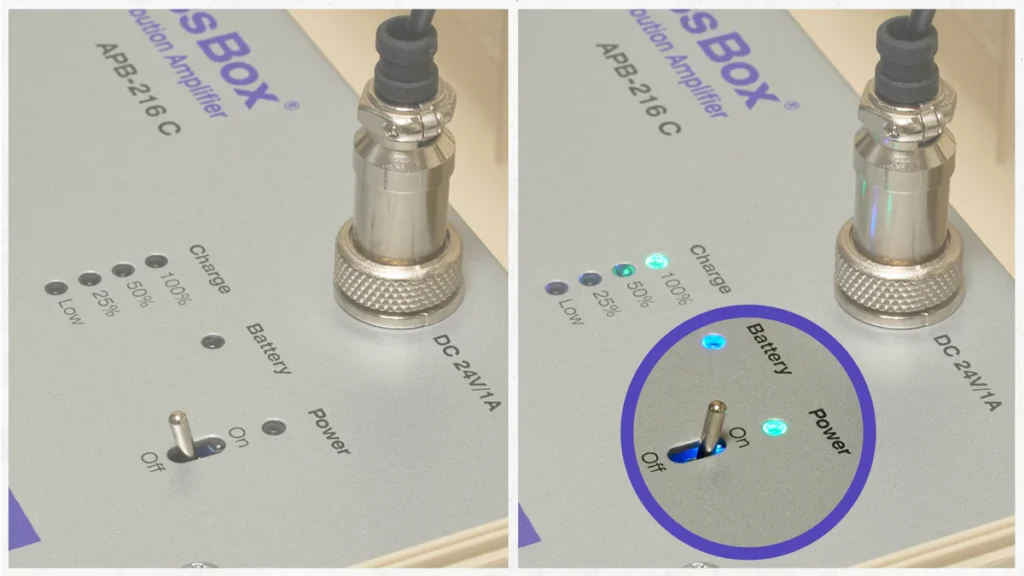
APB-216 C-D Manual, User Guide & Video Power switch

2. CONNECTING DEVICES TO INPUT

2.1 How to connect a condenser microphone
  • Connect the XLR cable from microphone to input
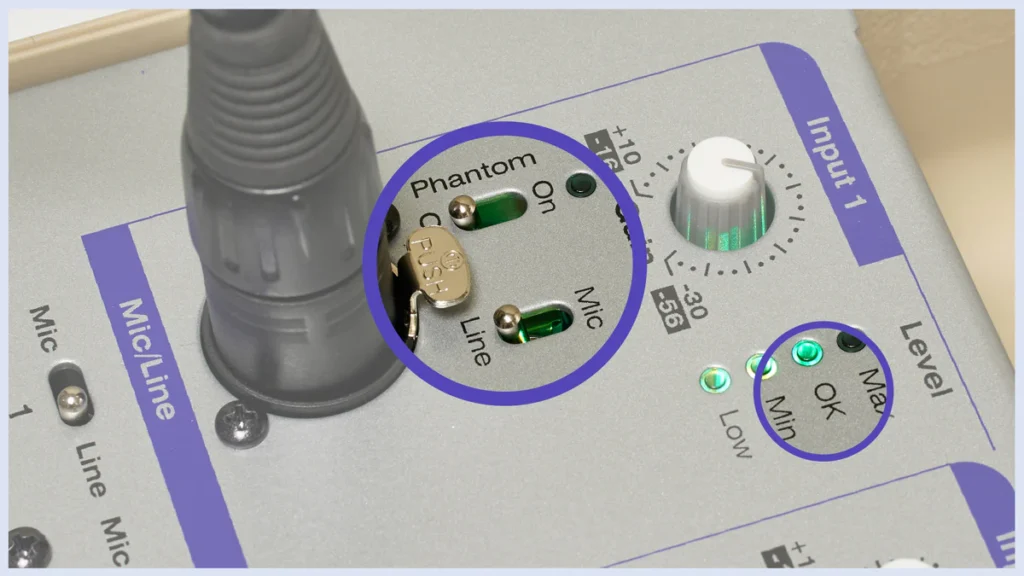
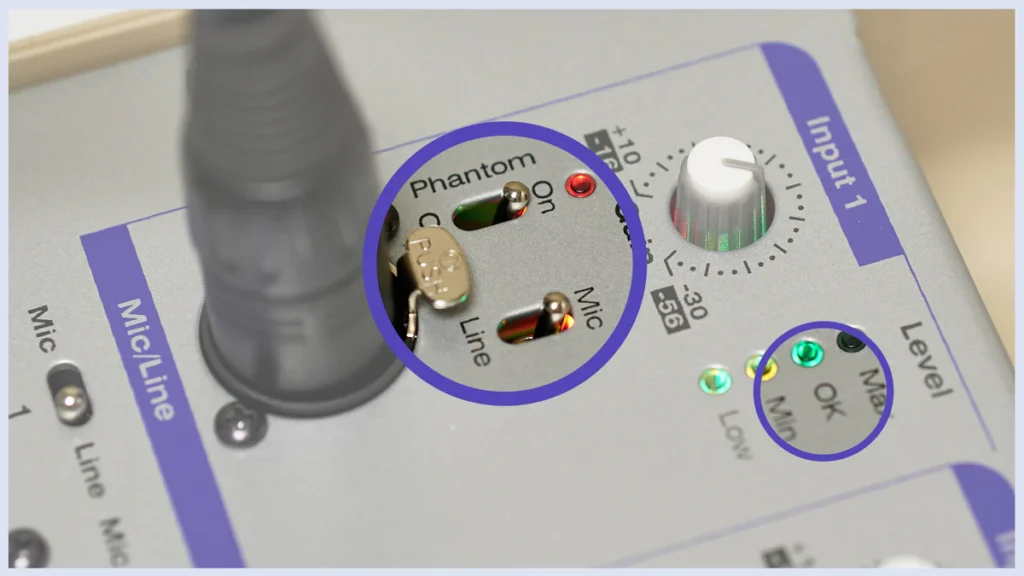
  • Turn the Mic/Line switch to position MIC
  • Turn the Phantom switch to position ON
  • Adjust gain to „OK“ level while speaking to microphone
  • The Phantom diod is glowing red and when talking to microphone the signal level is green on „OK“
APB-216 C-D Manual, User Guide & Video Phantom on and MIC/Line
2.2 How to connect a mixing console
  • Turn the Phantom switch to position OFF
  • Turn the Mic/Line switch to position LINE
  • Connect the XLR cable from mixing console to input
  • Adjust gain to „OK“ level while speaking to microphone
  • The Phantom diod is OFF and when talking to microphone the signal level is green on „OK“
APB-216 C-D Manual, User Guide & Video Phantom off and MIC/Line

3. CONNECTING DEVICES TO OUTPUTS OF APB-216 C-D

3.1 How to connect MIC level devices
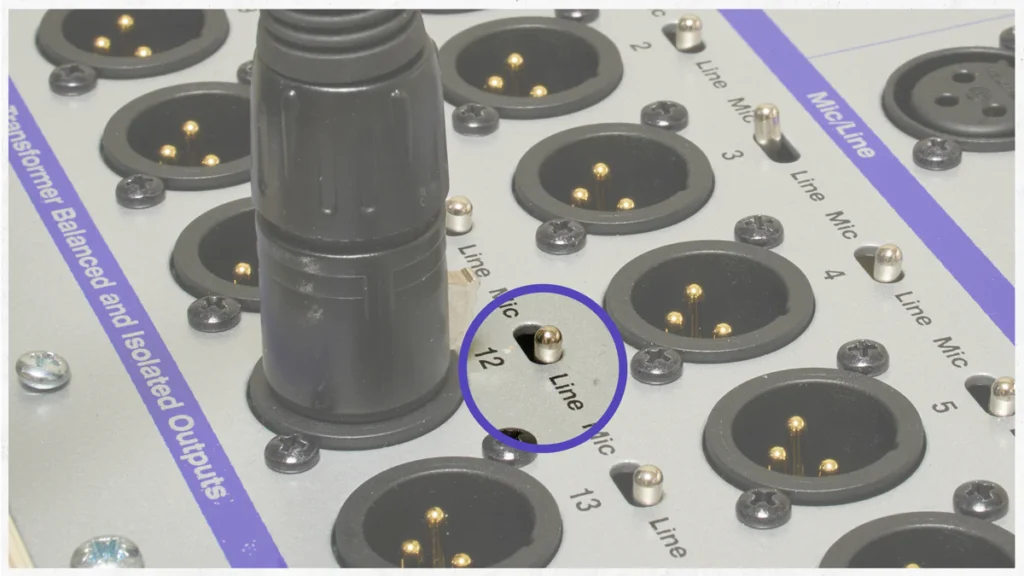
  • Switch the Mic/Line switch (above output) to position MIC
  • Connect XLR cable from your device to any of the outputs of APB-216 C-D
APB-216 C-D Manual, User Guide & Video MIC/Line switch
3.2 How to connect LINE level devices
  • Switch the Mic/Line switch (above output) to position LINE
  • Connect XLR cable from your device to any of the outputs of APB-216 C-D
APB-216 C-D Manual, User Guide & Video MIC/Line switch

4. TURN THE DANTE ON

  • Turn the Mic/Line & Dante switch to position Dante
  • Connect the Ethernet cable.
APB-216 C-D Manual, User Guide & Video MIC/Line switch

5. APB-216 C-D Dante Controller

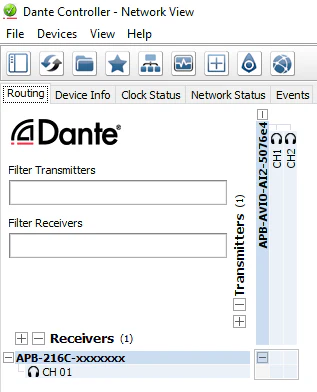
5.1 This is how AudioPressBox is visible in Dante Controller WITHOUT routing.
AudioPressBox APB-216-C-D-DANTE-MANAGER product view — Dante

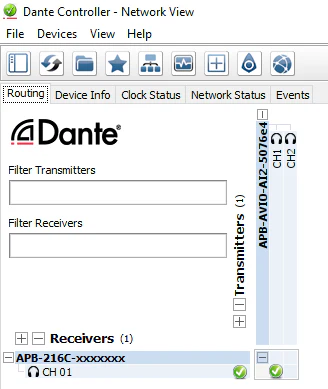
5.2 This is how AudioPressBox is visible in Dante Controller WITH routing.
AudioPressBox APB-216-C-D-DANTE-MANAGER product view — Dante

5.3 Device Info

AudioPressBox APB-216-C-D-DANTE-MANAGER product view — Dante

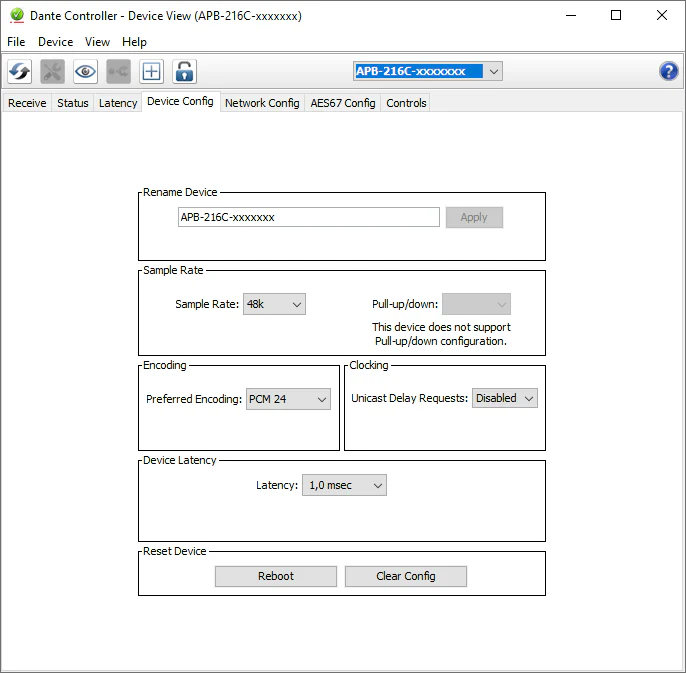
5.4 By double clicking on our device you can change device config.
AudioPressBox APB-216-C-D-DANTE-MANAGER product view — Dante

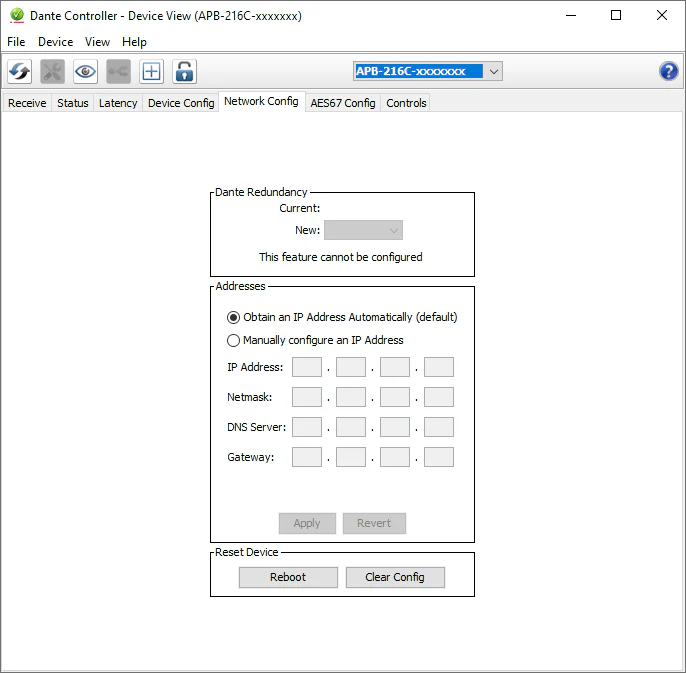
5.5 IP adress of AudioPressBox, by default in DHCP
AudioPressBox APB-216-C-D-DANTE-MANAGER product view — Dante

Featured Products

Contact us

Do not hesitate to get in touch with us. We are here to answer any questions or requests you might have.

Contact us directly at:
[email protected]